
GTV PLAYER PRO
RabibVideo Players & Editors
4.314.00 Reviews
- Version
- 1.7
- Installs
- 500.00K
- Age Rating
- Everyone
Screenshots
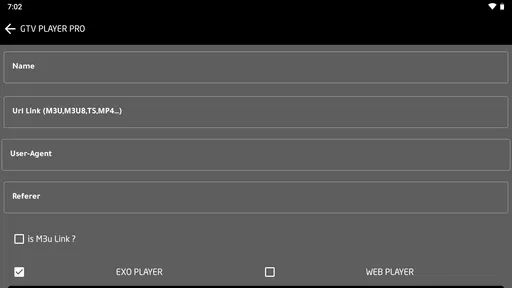
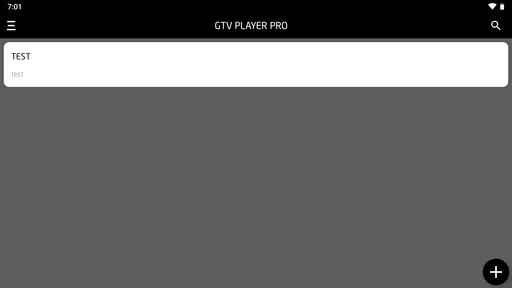
Our Review of GTV PLAYER PRO
 Analysis by Appyee
Choosing a video player is usually less exciting than choosing a streaming service, but it can make a noticeable difference when a file refuses to open, the sound is missing, or you simply want one place for both videos and music. GTV PLAYER PRO is a free media player from Rabib that aims to handle different video and audio files without making the first launch feel like a technical project. I found its appeal strongest for people who want a straightforward playback tool rather than a large entertainment platform.
The app sits in the video players and editors category, although its practical role is closer to a general-purpose player than an editing suite. Its store summary focuses on playing many types of videos and audio, so I approached it as a local playback companion: something to try when the default player on a phone is too limited or when keeping several media formats available in one app matters. The age rating is Everyone, and it is free to use, which makes experimenting with it relatively easy.
What to expect before you start watching
GTV PLAYER PRO is best understood as a utility for opening and enjoying personal media. It is not the kind of app I would choose when I want a catalog of films, social discovery, live channels, or a full editing timeline. Its value comes from the simple moment when you already have a video or audio file and need a player that can take over cleanly.
That distinction is important for first-time users. Installing it will not turn the app into a streaming subscription, nor should you expect recommendations, a library of licensed shows, or tools designed for cutting and exporting clips. If your goal is to play files stored on your device, the concept is much clearer. You bring the media; the app provides the playback environment.
Rabib’s player has attracted a 4.3 average from around 1.2 thousand ratings, with more than 500 thousand installs. Those figures suggest that it has reached a meaningful audience, but I would not treat them as a promise that every phone and every file will behave identically. Media playback depends heavily on the file itself, the device, and the way that file was created. A player can be useful without being perfect for every unusual format.
The current release is version 1.7 and requires Android 6.0 or later. That makes it available to people using older supported Android phones as well as newer devices. Still, compatibility on paper is only the first checkpoint. A phone with limited storage, an unusual audio track, or a damaged download can create problems that are not really caused by the player.
Who will get the most from it
I would recommend trying it if you regularly receive videos through messaging apps, transfer recordings between devices, keep downloaded lessons locally, or store music and clips outside a dedicated streaming service. It can also be useful in a household where different people use different file types and want a single app to test playback before converting anything.
It is less suitable for someone who mainly watches content through Netflix-style services, needs synchronized viewing across several devices, or expects professional video editing. In those cases, a streaming app, cloud library, or dedicated editor will usually be a better match. GTV PLAYER PRO makes more sense when the file is already in your hands and playback is the immediate problem.
Getting from installation to the first useful result
I use this section to focus on the practical handoff from installing a player to seeing whether it earns a place on my phone. Starting with a familiar file keeps the test low-stakes and makes it easier to tell whether the next steps are about playback or simply finding the media.
Start with a file you already know
My advice for a calm first setup is to begin with one ordinary video that you know is complete and playable elsewhere. Do not start with the most important recording on your phone or an unfinished download. A familiar test file gives you a clear answer: if it opens and plays normally, you have confirmed the basic path from app launch to viewing.
After installing the free app, look for the media item you want to open rather than trying to understand every part of the interface at once. On Android, the exact route can depend on how the file reached your phone. A recording made by the camera, a clip saved from a browser, and an attachment received in a chat may live in different folders. The practical lesson is to remember where the file was saved before blaming the player for not showing it immediately.
If the app asks you to choose media access, read the request in context and allow only what you are comfortable with. A player needs a way to reach the files you want to watch, but you should still keep control of your library. If a file does not appear, checking the file’s location and access setting is more useful than repeatedly reopening the application.
The first successful action
The first meaningful test is simple: open one short video, let it play for a moment, pause it, and resume it. This checks more than whether the thumbnail appears. You are also seeing whether the picture and sound arrive together, whether the controls respond, and whether the app remains usable while the file is being read.
For an audio test, choose a track with a clear beginning and listen long enough to notice whether playback continues after the screen changes or the phone is handled normally. I prefer testing both a video and an audio file because the app is presented as a player for both kinds of media. A successful video alone does not tell you how your music collection will behave.
One useful habit is to test from the source where you normally use media. If you usually open clips from a file manager, start there. If you normally select them inside the player, use that route instead. This small choice matters because a player can work perfectly when launched one way while the sharing or file-selection path feels less obvious to a new user.
A practical everyday scenario
Imagine that a friend sends you a family video, but the default application shows an error or plays the picture without sound. I would save the attachment locally, open GTV PLAYER PRO, and use that copy as the test file. If it plays, the problem was likely the original player’s compatibility rather than the video itself. If it still fails, I would check whether the download completed and whether another copy works before spending time changing settings.
This workflow is more reliable than immediately converting the file. Conversion takes time, may reduce quality, and creates another copy to manage. A separate player is often the quicker first attempt. The trade-off is that playback support is never unlimited; if the file uses a rare codec, has a damaged container, or depends on unusual protection, a different player or a fresh export may still be necessary.
Where first-time users may become confused
First-time setup can feel unclear when a file is missing, access needs attention, or a video behaves differently from an audio track. I separate those possibilities before changing anything, which makes the following section’s troubleshooting advice more useful than guessing at settings.
Finding media is not the same as downloading media
A common misunderstanding is expecting the app to discover or supply videos on its own. Its role is playback, so the file needs to be available through the phone or an accessible source. If your goal is to search for new shows, follow creators, or watch a provider’s catalog, this is the wrong starting point. Use a streaming or social video service for that job and keep this type of player for files you already possess.
Another point of friction is confusing a missing file with an unsupported file. If a video is not visible, first confirm that it has actually finished downloading and that it is stored somewhere the app can reach. If it is visible but refuses to play, try a second known-good file. That two-step check separates storage and access problems from format problems and prevents unnecessary troubleshooting.
Audio and video are different tests
Because the app handles both video and audio, it is tempting to assume that one successful test proves everything. In practice, a phone may handle a simple music file easily while struggling with a high-resolution video, or a video may play while a particular audio track does not. I would judge the app using the types of files I actually keep, not an idealized test collection.
For important recordings, I also recommend keeping the original file untouched. If playback is unreliable, make a copy for experimentation rather than renaming, moving, or converting the only version. This is a small but worthwhile safeguard, especially for personal videos, school material, or work-related recordings.
When another option is better
The default phone player may be preferable when you only watch camera recordings and want the fewest possible apps. A streaming service is better for licensed online catalogs. A dedicated editor is better when you need trimming, captions, transitions, or exports. A more specialized media manager may suit you better if your priority is detailed library organization rather than opening files quickly.
GTV PLAYER PRO earns its place when it solves a specific playback gap. I would not install it simply because every phone needs a second player. I would install it after noticing a real need: a file that the built-in option cannot handle, a preference for one app for video and audio, or a desire to test playback without immediately altering the media.
Making the next step more useful
After the basics work, I think the best next step is to test the app against the files and habits that matter in daily use. A short, repeatable check can show where it helps and where another tool would be a better fit.
Build a small troubleshooting routine
Once the first file works, use a repeatable routine for anything that fails. Check the file location, confirm the download is complete, try another ordinary file, and then compare the result with the phone’s original player. This sequence is faster than changing several things at once. It also tells you whether the issue follows the file or stays with one application.
If a file plays but behaves strangely, test it from a local copy rather than directly from a temporary attachment location. Temporary folders can be cleaned by the operating system or the messaging app, which makes a file seem to vanish later. Keeping a deliberate copy in a familiar folder gives you a more stable way to return to it.
Use it according to your own library
The strongest way to evaluate this app is to let your normal media habits decide. Someone who watches short personal recordings may care most about quick opening and dependable sound. Someone who listens to downloaded audio may care more about whether playback remains convenient while the phone is not actively displaying the file. Someone sharing videos between devices may value the ability to try playback before converting anything.
That also explains why opinions can differ. A person with ordinary local files may find the app immediately useful, while someone expecting a polished online media center may feel that it lacks the features they actually wanted. Neither reaction is surprising; they are judging two different jobs.
My recommendation after using it
I see GTV PLAYER PRO as a practical, low-commitment option for Android users who want to play local video and audio files through a dedicated tool. Its free price removes the biggest barrier to testing it, and the Everyone rating makes it approachable for general household use. The broad install base and 4.3 average are encouraging, while the version and Android requirement make it sensible to check device compatibility before installing.
My recommendation is conditional but positive: try it when your current player leaves you with an error, an awkward file workflow, or separate apps for basic media playback. Start with a known-good video, then test an audio file from the kind of source you use every day. If both fit your routine, the app can become a useful fallback rather than another icon you never open.
I would skip it if you need streaming catalogs, cloud synchronization, advanced editing, or a carefully organized media-management system. For those needs, a purpose-built alternative will save time. But for the narrower and very common task of opening personal videos and audio without converting them first, Rabib’s player is worth a straightforward trial. The best reason to keep it installed is not its broad promise, but whether it gives you a dependable next step when a media file will not play as expected.
Verdict
Strengths of GTV PLAYER PRO
- Supports multiple video formats for flexible playback.
- Simple interface makes finding and starting videos quick.
- Offers useful playback controls, including seeking and volume adjustment.
- Can be convenient for watching locally stored media on compatible devices.
- Lightweight design may run smoothly on many Android phones.
Limitations of GTV PLAYER PRO
- Compatibility and performance may vary across different devices.
- Some features may require permissions that privacy-conscious users dislike.
- The app may not include advanced subtitle or audio-track options.
- Updates and bug fixes may depend on the developer’s release schedule.
- Availability and functionality can differ by region or operating system.
Similar Picks in This Category
View All
Google TV
Google LLC3.9

iTunes
Apple4.7

YouTube
Google LLC3.8

MX Player
Amazon Mobile LLC4.2

CapCut - Video Editor
Bytedance Pte. Ltd.3.5

PLAYit-All in One Video Player
PLAYIT TECHNOLOGY PTE. LTD.4.5
Frequently Asked Questions
What is GTV PLAYER PRO and what can I watch with it?
GTV PLAYER PRO is a media player designed to play IPTV or other streaming content supplied by the user or by a compatible service provider. It generally does not act as a traditional television provider by itself. After installation, you may need to add a playlist, portal, M3U link, or login details before channels, movies, or other content appear. The available programming depends entirely on the source you connect.
Does GTV PLAYER PRO include live TV channels or subscriptions?
You should not assume that GTV PLAYER PRO includes channels, premium movies, or an active subscription when downloaded. The application is primarily a player, while the content usually comes from a separate IPTV provider or playlist. Before using it, check whether your provider supports the app and whether additional login credentials, activation details, or subscription fees are required. Only access content you are legally entitled to watch.
Is GTV PLAYER PRO easy to set up for first-time users?
Setup can be straightforward if you already have valid provider information, but the process may feel technical for beginners. Depending on the version and service, you might need to enter a username and password, paste an M3U URL, or configure a portal address. The app’s performance and available features can also vary according to the playlist format and the quality of your internet connection.
Does GTV PLAYER PRO work on Android and iOS devices?
Compatibility depends on the official version available for your device and the distribution method used by the developer. Before downloading, confirm that the listing is published through a trustworthy official source and that your phone or tablet meets its operating-system requirements. Features may not be identical across Android, iPhone, tablets, smart TVs, or other supported platforms, so check the current store description carefully.
Is GTV PLAYER PRO safe and legal to use?
The safety of GTV PLAYER PRO depends on where you obtain it and which playlists or services you connect to it. Downloading from an official, reputable source reduces the risk of modified files, while unknown APK websites can expose your device to malware or excessive permissions. The player itself does not make every stream legal; use only legitimate providers and review permissions, privacy information, and subscription terms before continuing.
